







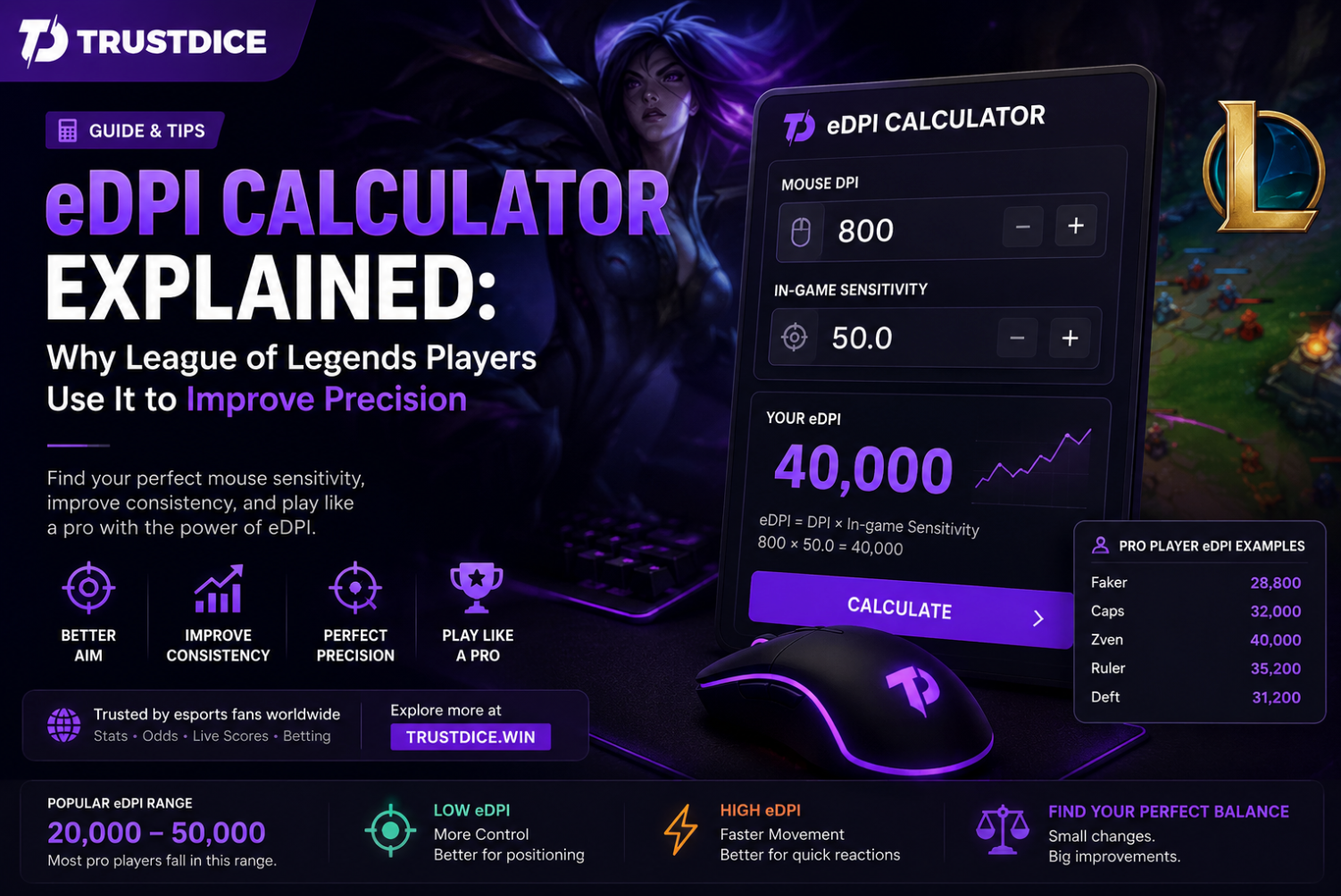
Mouse sensitivity is one of the most overlooked settings in competitive gaming. While many League of Legends players spend hours optimizing runes, champion pools, and item builds, they often ignore a factor that directly impacts accuracy and consistency: mouse settings.
This is where an edpi calculator becomes valuable.
"Your DPI alone doesn't tell the full story. eDPI reveals your true effective sensitivity."
Whether you're a casual summoner or a high-ELO competitor, understanding eDPI can help you build more consistent mouse control, improve reaction speed, and create settings that fit your playstyle.
In this guide, we'll explain what an eDPI calculator is, how it works, why professional players use it, and how you can optimize your own setup in 2026.
What Is eDPI?
eDPI stands for Effective Dots Per Inch. It is a measurement that combines your mouse DPI with your in-game sensitivity setting.
Instead of looking at DPI alone, eDPI provides a more accurate representation of how fast your cursor actually moves during gameplay.
eDPI Formula
eDPI = Mouse DPI × In-Game Sensitivity
For example:
| DPI | Sensitivity | eDPI |
|---|---|---|
| 800 | 50 | 40,000 |
| 1600 | 25 | 40,000 |
| 400 | 100 | 40,000 |
Although the DPI values differ dramatically, all three setups produce the same effective sensitivity.
What Is an eDPI Calculator?
An edpi calculator is a tool that automatically calculates your effective mouse sensitivity.
By entering:
- Your mouse DPI
- Your League of Legends sensitivity setting
The calculator generates a single value that can be compared against professional players, streamers, teammates, or previous settings.
This makes sensitivity optimization far easier than manually testing dozens of different combinations.
Why eDPI Matters in League of Legends
League of Legends is not a first-person shooter, but mouse precision still plays a major role in performance.
Players constantly:
- Kite opponents
- Execute skillshots
- Control camera movement
- Manage teamfights
- Target specific champions
Poor sensitivity settings often lead to missed clicks, inaccurate targeting, and inconsistent movement patterns.
Pro Insight ⚡
Many players improve consistency simply by standardizing their eDPI instead of constantly changing sensitivity.
How Professional Players Use eDPI
Most professional players rarely change sensitivity once they find a comfortable setup.
Instead of focusing on raw DPI numbers, they prioritize:
- Muscle memory
- Consistency
- Cursor control
- Long-term comfort
An edpi calculator helps identify whether a setup is unusually high or low compared to established competitive standards.
Low eDPI vs High eDPI
| Low eDPI | High eDPI |
|---|---|
| More precision | Faster cursor movement |
| Better control | Quicker reactions |
| Less accidental movement | Requires greater accuracy |
| Popular among ADC players | Popular among aggressive players |
Neither option is universally superior. The best sensitivity depends on comfort and playstyle.
Recommended eDPI Ranges for League of Legends
While preferences vary, most competitive players fall within certain ranges.
| Player Type | Typical eDPI Range |
|---|---|
| Casual Players | 30,000–70,000 |
| Competitive Players | 20,000–50,000 |
| Professional Players | 15,000–45,000 |
These numbers are not strict rules, but they provide a useful benchmark when using an edpi calculator.
How to Find Your Perfect eDPI
Step 1: Start With Your Current Settings
Calculate your existing eDPI before making changes.
Step 2: Make Small Adjustments
Avoid large sensitivity jumps. Adjust gradually.
Step 3: Test in Practice Tool
Spend time:
- Last hitting
- Kiting dummies
- Landing skillshots
- Managing camera movement
Step 4: Commit to One Setup
Constant sensitivity changes often hurt performance more than they help.
How eDPI Affects Different Roles
ADC Players
ADC mains often prefer lower eDPI values for precise kiting and attack-move control.
Mid Laners
Mid players typically balance precision with faster camera movement.
Junglers
Junglers frequently benefit from slightly higher sensitivity because of constant map movement.
Supports
Support players prioritize positioning and rapid target selection during teamfights.
Common eDPI Mistakes
| Mistake | Result |
|---|---|
| Changing settings daily | Poor muscle memory |
| Copying pros exactly | Uncomfortable gameplay |
| Ignoring DPI settings | Incomplete optimization |
| Using extremely high sensitivity | Reduced precision |
Why Streamers and Coaches Recommend eDPI Calculators
Content creators frequently recommend using an edpi calculator because it removes guesswork from sensitivity adjustments.
Instead of random experimentation, players can make data-driven decisions based on measurable values.
How eDPI Relates to Competitive League of Legends
At the professional level, small advantages matter.
Better cursor control can improve:
- Target selection
- Orb walking
- Reaction speed
- Skillshot consistency
Analysts discussing major tournaments, betting on lol, and professional player performance often highlight mechanical consistency as a key factor in elite competition.
Can eDPI Improve Ranked Climbing?
An optimized sensitivity alone won't instantly increase your rank.
However, better comfort and consistency can reduce mechanical mistakes over hundreds of games.
Combined with stronger macro decisions, champion mastery, and game knowledge, proper settings can contribute to long-term improvement.
How League of Legends Became an Esports Giant
League of Legends remains one of the world's largest competitive games, attracting millions of viewers through international tournaments like MSI and Worlds.
Communities focused on esports betting, professional analysis, and tournament coverage continue growing every season.
Fans exploring lol bets often pay close attention to player mechanics, consistency, and performance trends when evaluating professional matches.
Final Thoughts
An edpi calculator is one of the simplest tools available for optimizing your League of Legends setup.
By understanding effective sensitivity instead of focusing solely on DPI, players can build stronger muscle memory, improve consistency, and create a more comfortable competitive experience.
Whether you're climbing Ranked, studying professional gameplay, following betting on lol discussions, or exploring the wider world of esports betting sites, having the right settings can make a noticeable difference over time.
FAQ
What does eDPI mean?
eDPI stands for Effective Dots Per Inch and combines mouse DPI with in-game sensitivity.
Is lower eDPI better?
Not necessarily. Lower eDPI offers more precision, while higher eDPI provides faster cursor movement.
Do professional League players use eDPI calculators?
Many players and coaches use eDPI calculations to compare and standardize sensitivity settings.
Can eDPI improve gameplay?
Proper sensitivity settings can improve consistency, comfort, and mechanical execution over time.